A clean product photo can be the start of several campaign concepts. Try a different surface, a sharper lighting mood, or a setting you haven’t shot yet.
Upload a reference. Describe what stays and what changes. Explore a new version with image to image AI.
01 / Product
One product. A different setting.
Reference
Variation
Keep
Shoe silhouette, materials, and camera angle
Change
Warm concrete → cool wet slate
See the image to image prompt +
Keep the same sneaker, proportions, silver panels, orange details, and camera angle. Change the setting to wet dark slate at blue hour with soft cool background light. No new products, logos, or text.
Illustrative reference/variation pairs created with an external image tool, not RasterBloom output benchmarks. Compare each result with its source; generated details can change.
Name the shape, material, scale, camera view, and placement to retain. Review those details before judging the setting.
02 / A deliberate direction
Prototype the mood
Use concepts to explore a campaign direction. Verify product facts and prepare accurate final assets before publication.
A practical workflow
Start clear. Keep the useful versions.
Give each attempt one purpose, then review the result against the brief before moving on.
01
Start clean
Use a sharp product source with edges and important packaging details visible.
02
Direct the setting
Describe background, surface, and light. Make one meaningful change per attempt.
03
Inspect the product
Review silhouette, materials, labels, quantity, and reflections at full size.
Put it into words
A brief you can actually evaluate.
Adapt the subject, details, and requested change to your own source. Review the image instead of assuming the prompt was followed exactly.
Prompt starting pointEDITABLE / 001
Keep the original shoe silhouette, charcoal knit, silver panels, and camera angle. Place it on a dark concrete surface with one soft shaft of warm light. Do not add logos, text, or extra products.
Treat generated edits as concepts until every product detail is verified. Use masking or compositing to retain exact packaging, lettering, or geometry.
Can AI change only the background?
You can ask for it, but other details may still change. Compare the complete result with your source.
Can I work with a branded product?
Use images you are authorized to edit and respect the applicable product, brand, and advertising requirements.

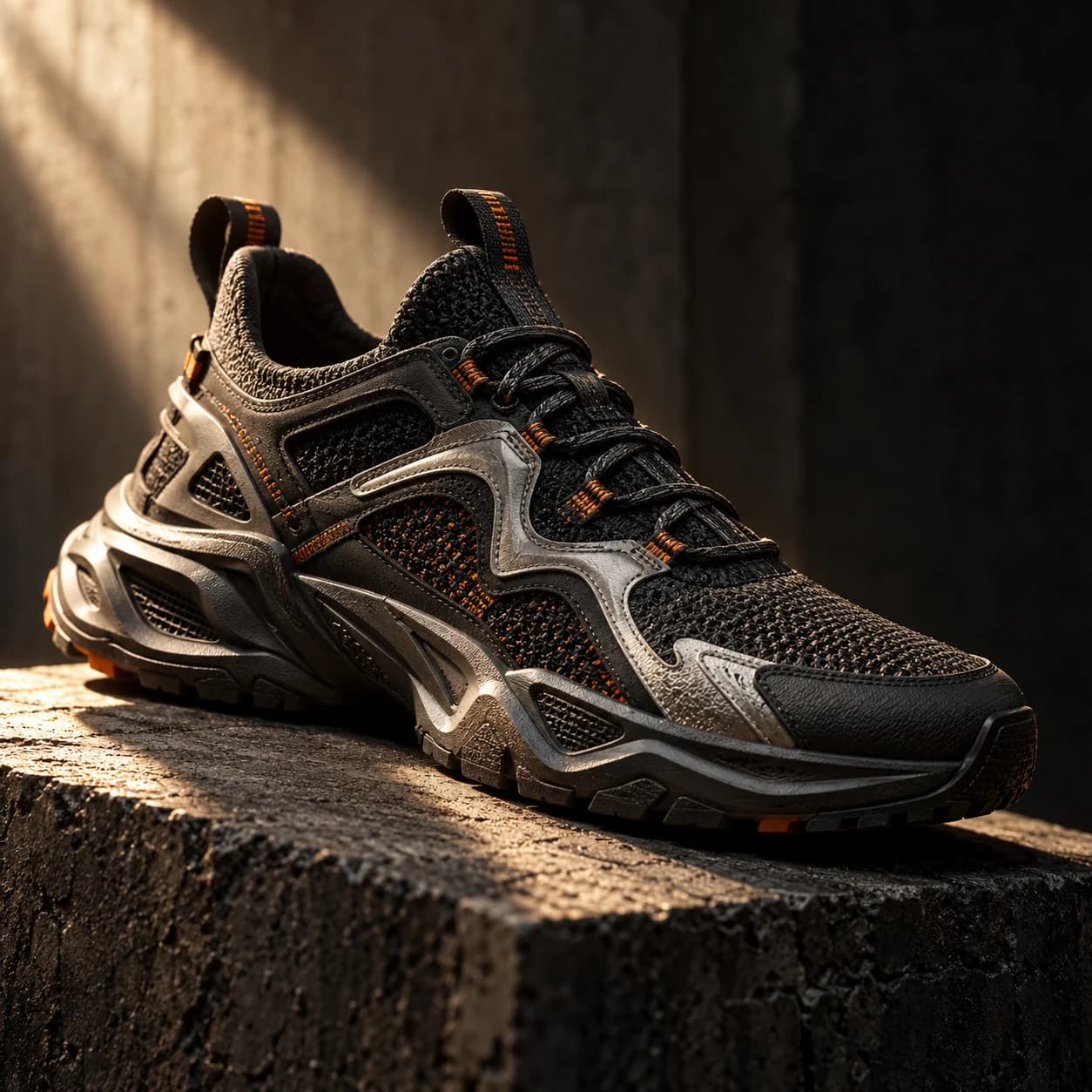 Reference
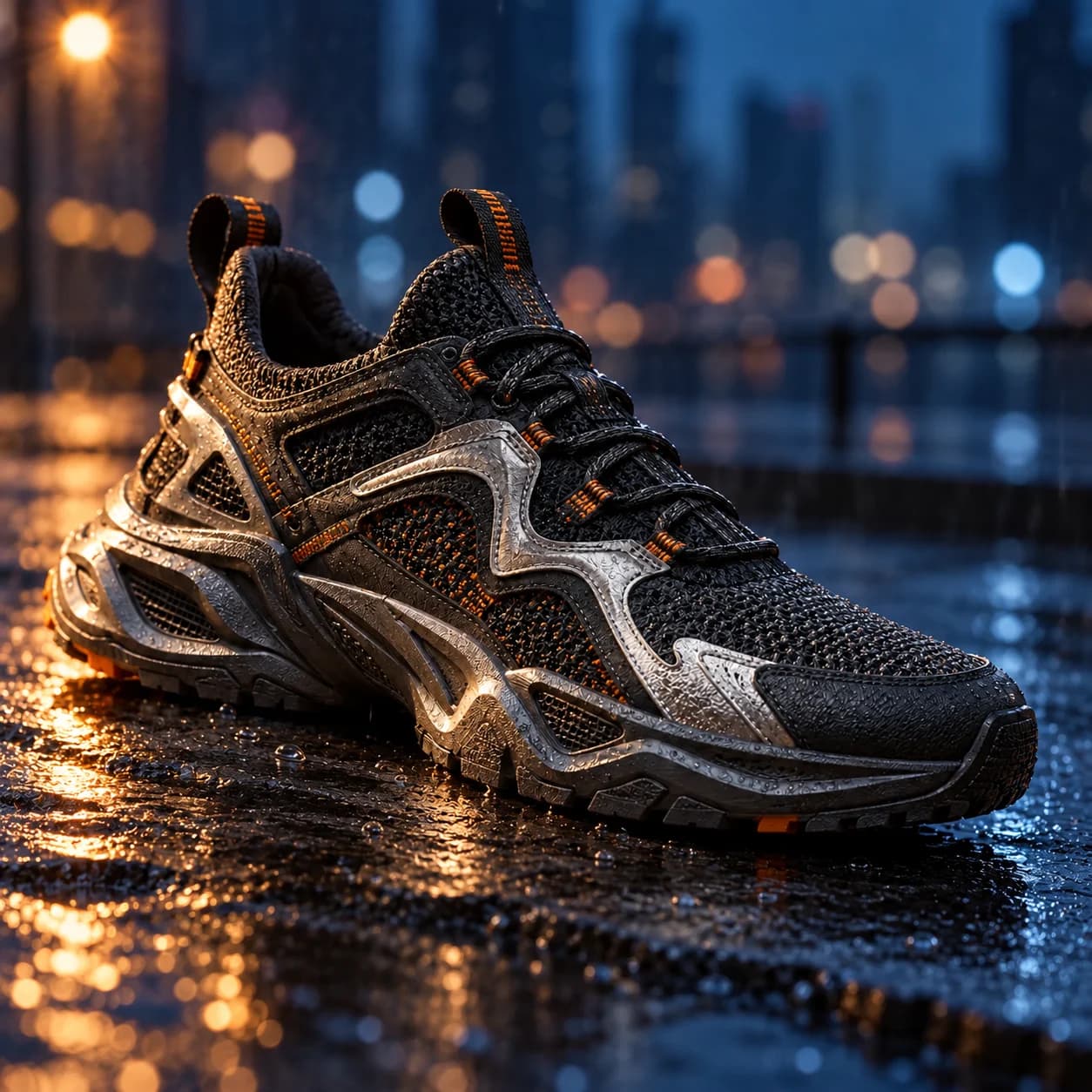 Variation